
Quick Answer: Cricut Etsy Shop
- A cricut etsy shop struggles to get sales when listings aren’t optimized for Etsy’s internal search engine.
- Etsy ranks listings based on keyword relevance in titles, tags, and categories, not product quality alone.
- Cricut etsy listings with descriptive, buyer-language titles consistently outperform listings with vague or creative names.
- Etsy listing optimization means using all 13 tags with specific, searchable phrases, not single words.
- Product photos are the first filter. Buyers click the photo before they read a single word of your listing.
- Your etsy cricut ideas may be excellent. The problem is usually discoverability and not demand.
- Beginners can audit and improve existing listings in an afternoon without rebuilding their shop.
RELATED: How to Start a Cricut Business From Home Without Followers
You opened a cricut etsy shop, loaded up your first few listings, and waited. A week passed. Then two. Maybe a handful of views trickled in, but still no sales. You started wondering whether the market was too crowded, whether your products were not good enough, or whether Etsy just did not work the way everyone said it did.
Before you close the shop or write off the whole idea, consider one thing: maybe it’s a visibility problem and not a product problem.
This article walks through how Etsy’s search system works, what makes a listing findable, and where most new sellers leave easy improvements sitting on the table. The etsy listing optimization steps below don’t require a redesign. Some of them take ten minutes per listing.
Why Visibility Matters
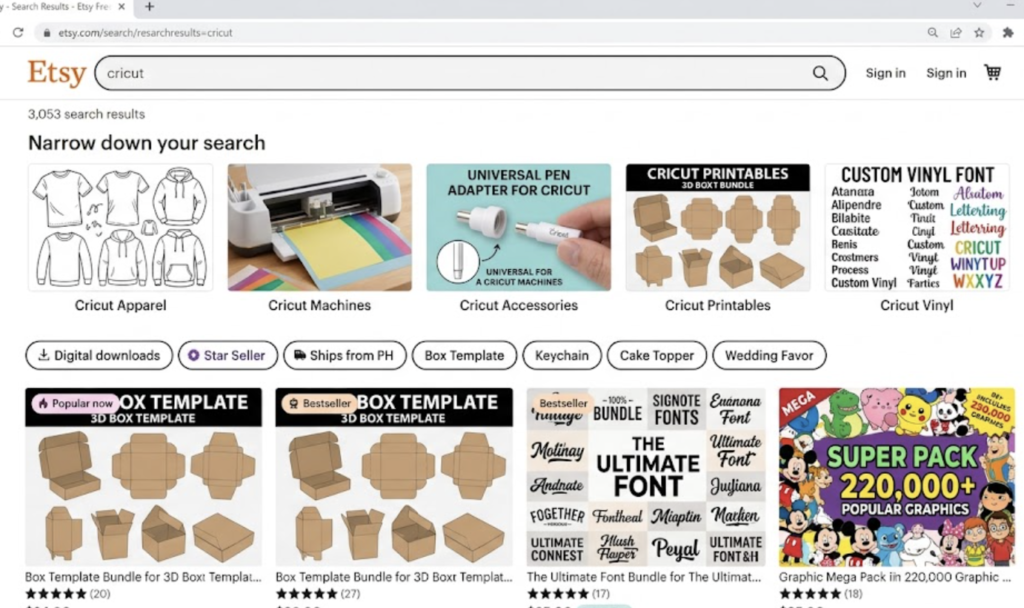
Most people who open a cricut etsy shop assume Etsy works like a storefront: you set up the shelves, customers walk in. The thing is, Etsy works like Google. When buyers type a phrase into the search bar, Etsy scans its listings database and decides which ones to show, in what order, to that buyer.
If your cricut etsy listings don’t contain the language that buyer used, you don’t show up. Your products may be better but there’s no guarantee the algorithm will show them.
Visibility is the only thing standing between a buyer with money and a seller with a product they want to buy. Fixing it is almost entirely within your control.
How Etsy Functions as a Search Engine
Etsy is a search engine with a shop attached. Every search on the platform triggers an algorithm that evaluates three basic things: relevance, recency, and listing quality.
- Relevance is determined by how closely your title, tags, and category match the buyer’s search phrase. If a buyer types “custom tumbler wrap for mom” and your listing title says “Beautiful Handmade Gift,” Etsy has no signal that your product matches that search.
- Recency gives a mild boost to new listings. This fades within a few days. It is not a strategy; it is a temporary window.
- Listing quality is a rolling score that includes click-through rate, conversion rate, and how often buyers add the listing to their favorites. Better photos improve click-through rate. Better descriptions and pricing reduce cart abandonment. Both feed the quality score.
The takeaway for anyone running a cricut etsy shop: the algorithm doesn’t care whether your product is beautiful. It is parsing text. If the right words are not in your listing, your item is basically invisible to buyers.
How to Write Etsy Titles That Actually Get Found
The title is the single most important place to put the keywords buyers are typing.
A few specific rules for cricut etsy listings titles:
- Use buyer language, not maker language. You know the product is a “Oracal 651 permanent vinyl tumbler wrap.” The buyer is typing “custom tumbler for teacher” or “personalized water bottle gift for her.” Write for the buyer’s search, not for your own vocabulary.
- Lead with the most specific phrase first. Etsy weights the front of the title more heavily. “Custom Tumbler Wrap for Teachers, Personalized Water Bottle Decal, Back to School Gift” outperforms a title that buries the most searched phrase in the middle.
- Write the full 140 characters. Etsy gives you 140 characters in the title. Use them. Every unused character is a keyword opportunity you left empty.
- Avoid decorative language in the title. Words like “beautiful,” “stunning,” “unique,” and “lovely” do not help discoverability. Buyers do not type “lovely gift for mom.” They type “personalized gift for mom.” Drop the adjectives and fill that space with searchable phrases.
Strong title example for a cricut etsy shop selling wedding decals: “Custom Wedding Decal Set, Personalized Vinyl Decal for Wedding, Bridal Party Gift Sticker, Mr and Mrs Car Decal”
Compare that to: “Beautiful Handmade Wedding Decals”
The first listing shows up for five distinct buyer searches. The second shows up for almost none.
Selecting Effective Etsy Tags and Categories
Etsy gives you 13 tags per listing. Most beginners use five or six. That is a mistake. Each unused tag is a missed opportunity to appear in an additional search.
Use all 13 tags. Every time.
For your etsy cricut ideas and product listings, tags work best when they are multi-word phrases. “Decal” as a tag is nearly useless. “Custom car window decal” is a tag that maps to an actual buyer search. Think in phrases, not keywords.
A working tag strategy for a cricut etsy shop selling tumblers:
- custom tumbler gift
- personalized tumbler for mom
- tumbler wrap decal
- teacher appreciation gift
- Christmas tumbler custom
- bridesmaid gift tumbler
- water bottle decal
- Stanley tumbler wrap
- 40 oz tumbler decal
- vinyl tumbler gift for her
- custom drinkware gift
- Cricut tumbler decal
- personalized gift under 30
Thirteen tags. Thirteen specific buyer searches you can now appear in.
Categories matter too. Etsy uses your category selection as an additional relevance signal. Choose the most specific sub-category available. “Decals and Stickers” is more specific than “Home and Living.” “Bridal Party Gifts” is more specific than “Gifts.” Specificity helps Etsy route your listing to buyers whose search matches.
What Product Photos Actually Do
Photo performance is the fastest lever in etsy listing optimization for a cricut etsy shop. The photo is what gets the click. If the click does not happen, nothing else matters. The buyer never reads your title, your tags, or your description.
A few practical guidelines:
- Use a clean, light background for the primary photo. Busy backgrounds reduce contrast and make the product harder to read at thumbnail size. Most buyers are looking at Etsy on a phone. Thumbnails are small. White or light neutral backgrounds perform more consistently than lifestyle shots as the primary image.
- Show the product at scale. A tumbler wrap next to a Stanley cup tells the buyer exactly what they are getting. A sticker sheet next to a hand tells the buyer the size. Scale removes a hesitation that often prevents a click.
- Add lifestyle context in secondary photos. After the clean primary shot, add a real-use photo. A custom teacher tumbler sitting on a classroom desk. A wedding decal on a car window. A bridesmaid gift bag on a table. These photos answer the buyer’s mental question: “what does this actually look like in my life?”
- Photograph in natural light or with a simple lightbox. You do not need professional equipment. You need consistent, soft light with no harsh shadows. A $30 to $40 lightbox handles this. A window on a cloudy day handles it for free.
For etsy cricut ideas with multiple color or size variations, photograph the most popular variation as the primary photo. Do not photograph a version that rarely sells simply because you like how it looks. Lead with what buyers buy.
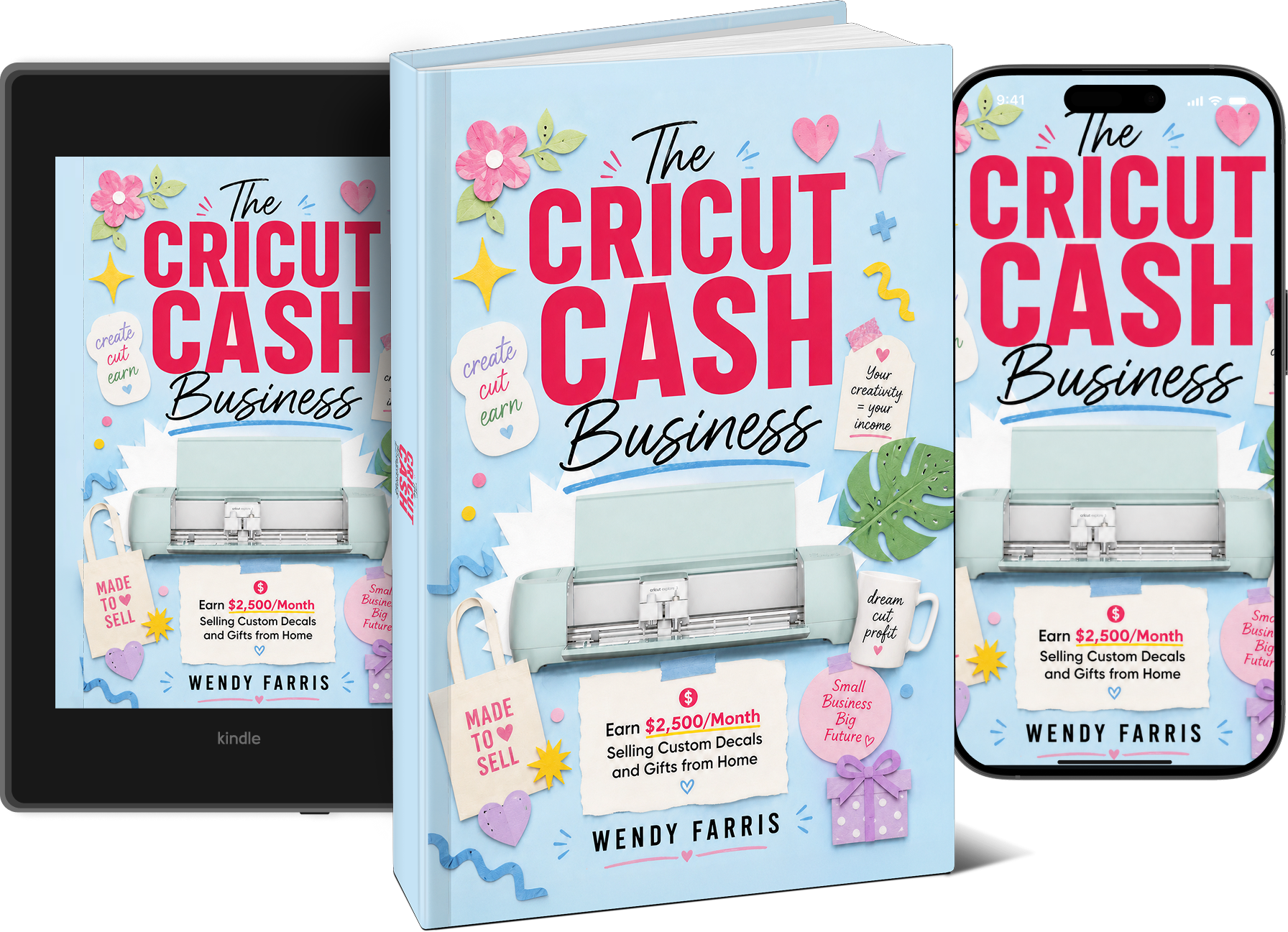
Your listings might already be doing three things right. But if buyers can’t find them, none of it matters. The Craft Cutter Cash Business guide walks through the full setup, from your first listing to your first sale, including the exact product categories and pricing structure Wendy uses to keep her Cricut shop running at $2,300/month.
Turn “you should sell these” into income, without quitting your job
What to Include in Your Listing Description
The listing description is not primarily a sales pitch. It is a practical document that answers the questions buyers ask before clicking the checkout button.
For any cricut etsy shop listing, the description should cover:
- What the product is, precisely. Not “a beautiful custom decal.” A specific dimension, material, and use case. “3-inch permanent vinyl decal for smooth, flat surfaces. Water-resistant. Not dishwasher safe.”
- What the buyer receives. Does the order include one decal or a set? Does the tumbler wrap come pre-cut or does the buyer cut it? Is transfer tape included? Answer the question before they ask it.
- Turnaround time. Buyers want to know when their order ships. If you have a 3-5 business day processing window, say so clearly. Unspecified turnaround times generate messages and reduce conversions.
- Customization details. If the listing is for a custom order, explain exactly what the buyer needs to provide and where to provide it. “Enter the name and color preference in the note to seller at checkout” is a clear instruction. Vague customization processes create confusion and abandoned carts.
- Care instructions where relevant. A tumbler wrap that cannot go in the dishwasher should say so. A permanent vinyl decal that should not go on textured surfaces should say so. These details protect you from refund requests and protect the buyer from disappointment.
- Secondary keyword placement. The description is also a place to work in additional keyword phrases naturally. Not stuffed, not unreadable, but woven into sentences that describe the product honestly. “This listing is for a custom vinyl decal ideal for tumblers, water bottles, or laptop covers” hits three additional search phrases in one sentence.
Common Beginner Mistakes in Cricut Etsy Listings
Most of the problems in a beginner cricut etsy shop fall into a small number of repeatable patterns.
1. Vague product names. “Custom Gift” is not a product name. “Personalized Tumbler Wrap for Teachers, Cricut Vinyl Decal” is a product name with search value. The specificity is the point.
2. Keyword stuffing that breaks readability. Filling the title with every possible keyword phrase, separated by commas and slashes, hurts more than it helps. Etsy’s algorithm reads stuffed titles as low quality. Write a title that reads like a real description of the product, not a list of search terms.
3. Using the same tags as the title. Many beginners copy their title words directly into the tag fields. Etsy already indexes your title. Tags are for additional, different phrases. Repeat phrases between title and tags are a wasted slot.
4. One photo. A cricut etsy shop listing with a single photo tells buyers you are not invested in the listing. Multiple photos from different angles, with and without context, give buyers the confidence to click through and add to cart.
5. No customization instructions. A custom listing with no instructions for how to submit the customization creates confusion. Confused buyers leave. Clear instructions reduce abandoned carts and also reduce the back-and-forth messages that eat your time.
6. Pricing that is too low. Underpriced listings signal low quality to buyers, not value. If your etsy cricut ideas are priced below what comparable listings charge, buyers may skip your listing on the assumption that something is wrong with the product.
7. Dormant shop signals. A shop with no recent sales, no reviews, and no updates reads as inactive. Etsy’s algorithm deprioritizes dormant listings over time. Adding new cricut etsy listings periodically, even one or two per week, keeps the shop active in Etsy’s index.
Practical Steps to Audit and Improve Current Listings
If your cricut etsy shop already has listings that are not performing, here is a practical audit sequence you can run in an afternoon.
- Step 1: Search your own products as a buyer. Open Etsy in a private browser window, not logged into your shop. Type in the phrases you think your buyers are using. If your listings do not appear in the first three pages of results, your visibility is the problem. Note which phrases return no result for your shop.
- Step 2: Review your titles. For each listing that is not getting views, rewrite the title using the buyer-language guidelines above. Start with the most specific phrase, use the full character count, and remove decorative adjectives.
- Step 3: Fill all 13 tags. Open each listing and check the tag count. If you have fewer than 13, write additional multi-word phrases and fill the remaining slots. Use the search phrases you found were missing in Step 1.
- Step 4: Add or replace your primary photo. Look at your primary photo on a phone at thumbnail size. If the product is hard to read, replace it with a clean light-background shot where the product is clearly visible and identifiable.
- Step 5: Review your description for missing practical details. Check whether dimensions, materials, turnaround time, and customization instructions are clearly stated. Add anything that is missing.
- Step 6: Check your category and sub-category. Make sure you are in the most specific category available for each product type.
- Step 7: Run it again in two to three weeks. Etsy re-indexes updated listings, but it takes time. Check your views and click-through rates in Etsy’s Stats dashboard after a few weeks to see whether the changes moved the numbers.
This is not a one-time fix. Etsy listing optimization is an ongoing process. The listings that get views this month may need a refresh in three months as buyer search behavior shifts. The shops that perform consistently are the ones that treat their listings as a living document, not a set-it-and-leave-it task.
Wrapping Up
A cricut etsy shop lives or dies on whether buyers can find it. Your products may be genuinely good. Your pricing may be fair. Your turnaround time may be fast. None of that matters if Etsy’s algorithm never surfaces your listings to the people who are already searching for exactly what you make.
The good news is that most etsy listing optimization problems are fixable. Better titles, complete tags, clear photos, and practical descriptions are not complicated. They take time and attention, not special expertise. The seller whose listings consistently outrank yours is almost certainly not making better products. They have probably put more thought into how Etsy’s search system works and written their cricut etsy listings accordingly.
Your shop may not have failed. Buyers may simply never have seen your listings. That is worth fixing before you decide the market is not there.
Most sellers who can’t get traction on Etsy aren’t making worse products. They’re writing worse listings. The Craft Cutter Cash Business guide covers every piece of this, including which Cricut products are easiest to list, how to price them so buyers don’t skip past, and how to structure a shop that’s built to sell from the start.
Turn “you should sell these” into income, without quitting your job
FAQ
1. Why is my Cricut Etsy shop getting views but no sales? Views without sales usually point to a photo, pricing, or description problem. Buyers clicked because the thumbnail caught their attention, then something on the listing page stopped them. The most common culprits are a primary photo that does not show the product clearly at full size, a price that is out of range for the category, or a description that does not answer basic questions about dimensions, materials, or customization. Audit those three elements first before making other changes.
2. How many Etsy cricut listings do I need to start seeing consistent sales? There is no magic number, but sellers who maintain 20 to 30 active listings consistently have more surface area in Etsy’s search index than sellers with five to ten. More listings mean more keyword combinations in the index, which means more entry points for buyers searching different phrases. Starting with a small number is fine, but building to 20 or more active cricut etsy listings over time meaningfully improves your discoverability.
3. Does renewing a listing help with Etsy listing optimization? Renewal gives a listing a brief visibility bump because Etsy treats it as new for a short window. It is not a strategy on its own. A listing with a weak title and poor photos gets a short bump and then returns to low visibility. Fix the listing content first. Renewal is a minor tool, not a substitute for proper etsy listing optimization.
4. Should I use Etsy Ads for my Cricut Etsy shop? Ads can accelerate visibility, but they amplify what already exists. If your listings have weak titles, unclear photos, and incomplete tags, ads will drive traffic to a listing that does not convert and you will spend money without results. Optimize your cricut etsy shop listings first. Once your click-through rate and conversion rate are solid, ads can make sense as a way to put well-optimized listings in front of more buyers faster.
5. How do I find the best keywords for my Etsy Cricut ideas? Start by typing your product into the Etsy search bar and watching the autocomplete suggestions. Those suggestions are real buyer searches. Each one is a potential tag or title phrase. Also look at the listings that appear on the first page of results for your target search and study their titles. You are not copying them, you are learning what phrase combinations Etsy is rewarding for that product type.
6. Do all 13 Etsy tags need to be different from my title? Yes. Etsy already indexes your title keywords. Tags should add new phrases that are not covered by the title. If your title includes “custom teacher tumbler,” using “custom teacher tumbler” as a tag wastes a slot. Use that tag to cover a different buyer search, such as “end of year teacher gift” or “personalized teacher appreciation.” Treat each tag as a separate opportunity to appear in a search your title does not already cover.
7. Is a Cricut Etsy shop worth starting in the current market? The craft and custom gift market on Etsy is competitive, but competition and saturation are not the same thing. Competition means buyers are spending money in your category. The sellers who struggle are typically the ones with weak cricut etsy listings that do not appear in search, not the ones with good listings and optimized shops. A well-structured cricut etsy shop with specific titles, complete tags, and clear photos can find buyers in competitive categories. The ones who fail are usually invisible, not outcompeted.