


Cut List Optimizer- Stop Guessing. Start Cutting.
Free wood cutting plan for your project that fits both your saw, and your car.
You bought a $90 sheet of plywood and then spent the next 20 minutes staring at it. You finally made one cut and knew instantly it was the wrong one.
This free tool fixes that. Tell it what project you’re building, what saw you own, and what transport you’re using to haul. It hands you a numbered, step-by-step cutting plan so you always know exactly what to cut first. No decimals. No wasted wood. No second trip to Home Depot.
How to Use the Cut List Optimizer
Step 1: Tell It What You’re Building
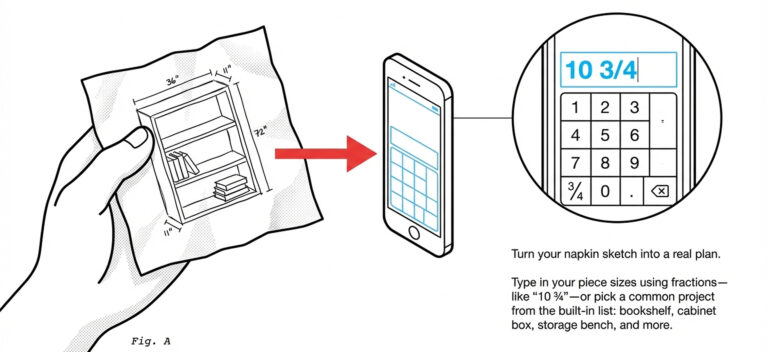
Type in your piece sizes using fractions: “10 3/4” works just fine. Or, pick a common project from the list: bookshelf, cabinet box, storage bench, and more.
Think of it as turning your napkin sketch into a real plan.
Step 2: Pick Your Saw
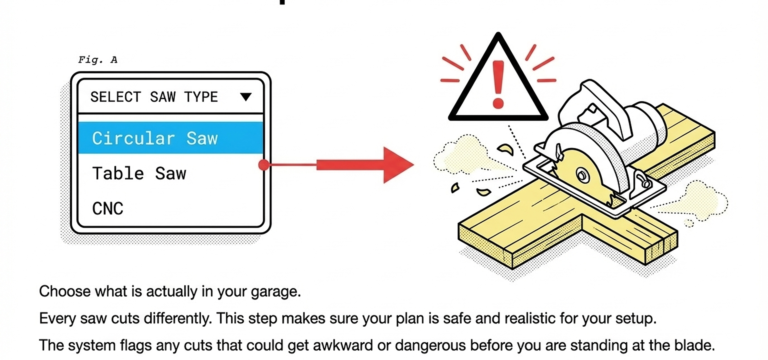
Choose what’s actually in your garage: circular saw, table saw, or CNC.
Every saw cuts differently.
This step makes sure your plan is safe and realistic for your setup. It’ll flag any cuts that could get awkward or dangerous before you’re standing at the blade.
Step 3: Check If Your Wood Fits in Your Car
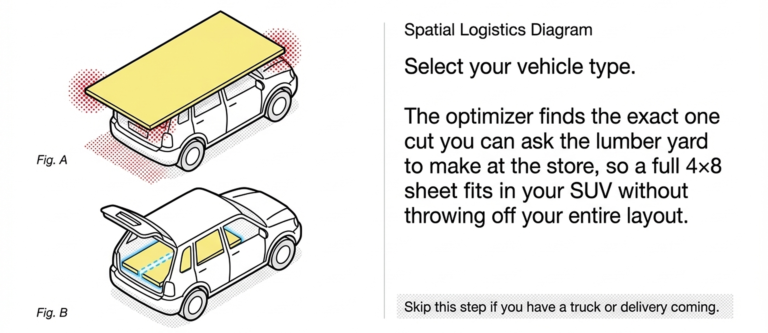
Select your vehicle type.
The optimizer finds the one cut you can ask the lumber yard to make at the store, so a full 4×8 sheet fits in your SUV without throwing off your entire layout.
Skip this step if you have a truck or a delivery coming.
Step 4: Get Your Visual Cutting Plan
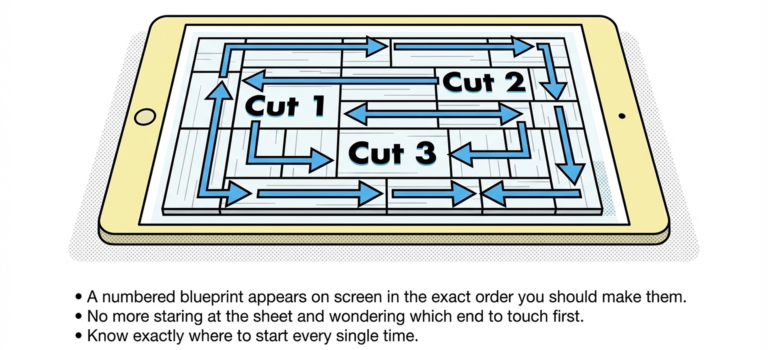
A numbered blueprint appears on screen in the exact order you should make them: : — Cut 1, Cut 2, Cut 3 etc.
No more staring at the sheet and wondering which end to touch first. You’ll know exactly where to start every single time.
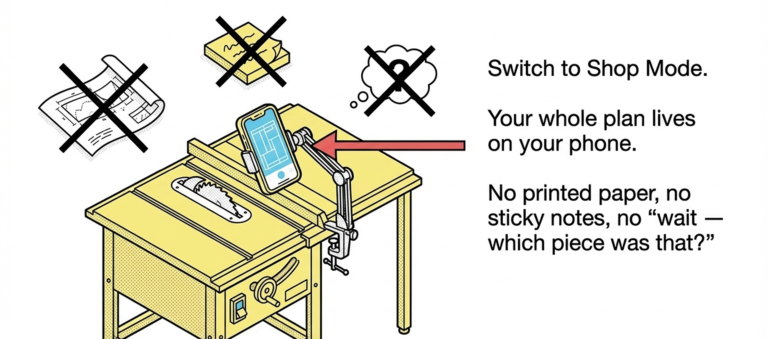
Step 5: Take Your Phone Into the Shop
Switch to Shop Mode. Tap each piece as you cut and it turns green on screen.
Your whole plan lives on your phone. No printed paper, no sticky notes, no “wait — which piece was that?”
What This Tool Saves You
- Money. See your full layout before the blade moves. Catch mistakes on screen, not in your scrap pile.
- Time. No more re-measuring, second-guessing, or mid-project hardware runs.
- Frustration. A numbered sequence means you always have a next step. No decision fatigue at the saw.
- Wood. The optimizer accounts for real plywood sizes (47.5″ × 95.5″, not the perfect 48×96 on the label) and blade thickness, so nothing gets wasted to math errors.
Who This Cut List Optimizer Is For:
- Weekend warriors with a circular saw at home and a garage project scheduled on Saturday morning
- Home center shoppers who need the wood to fit in their car before they drive home
- First-timers who’ve never made a cut list and just want someone to walk them through it
- CNC hobbyists who want a clean nested layout before they fire up the machine
Frequently Asked Questions
Do I need to know woodworking to use this? Nope. If you can measure a piece of furniture and you know what saw you own, you’re ready.
What if I don’t own a saw yet? Pick “circular saw,” it’s the most beginner-friendly option and the plan will reflect that.
Does it work on my phone? Yes. Shop Mode is built specifically for mobile, so you can use it right next to your workbench.